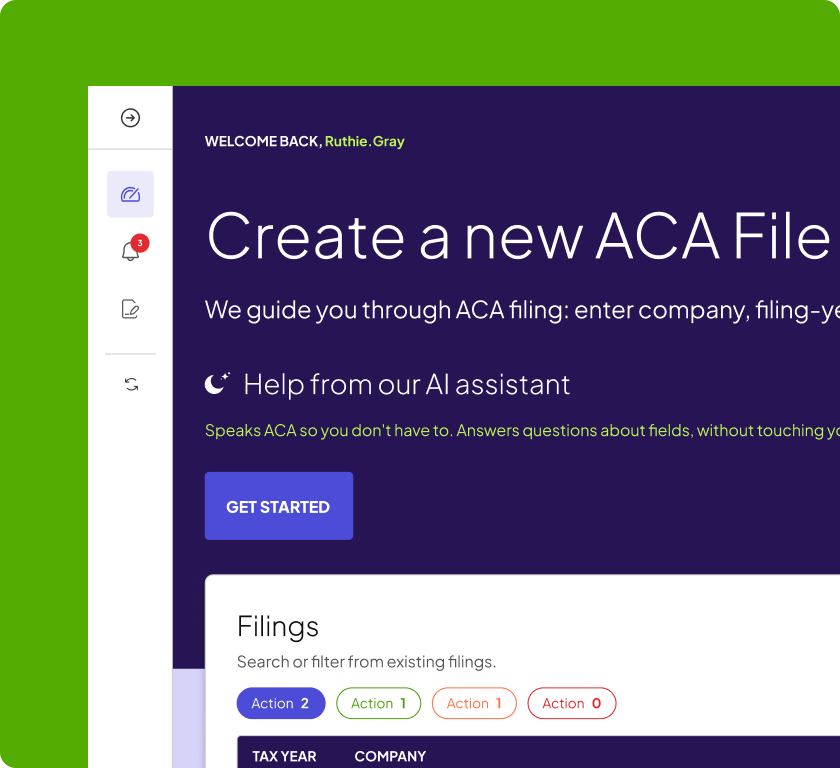
ACA Filing: How to E-File 1095-C Forms Through the IRS AIR System

ACA filing has changed quite a bit since electronic reporting has become the norm.
Today, if your organization must file 10 or more information returns in aggregate, you generally must file them electronically. That threshold includes many types of information returns — including W-2s — rather than applying separately to your ACA forms. For Forms 1094-C and 1095-C, electronic filing happens through the IRS Affordable Care Act Information Returns system, better known as AIR.
Of course, AIR isn’t simply a portal where you upload a spreadsheet or PDF.
If you’re handling ACA e-filing yourself, you’ll need the right Transmitter Control Code (TCC), properly formatted XML files, current IRS schemas and business rules, a successful transmission, and an acknowledgment from the IRS telling you what happened after the file arrived.
Then, if the IRS identifies errors — or you find one yourself — you need to know whether you’re dealing with a correction, a replacement, or an entirely rejected transmission.
There’s a lot going on between “our 1095-Cs are ready” and “our ACA filing is actually done.”
This article will give you a rundown on how the whole process works.
Want to skip the AIR setup and transmission process?
Selerix can manage federal ACA e-filing on your behalf, including data validation, corrections, and applicable state reporting.
Explore Selerix ACA Compliance
What Are the ACA Electronic Filing Requirements?
We have good news and bad news. First: the old 250-return threshold is gone.
Beginning with tax year 2023, the IRS generally requires electronic filing when a filer must submit 10 or more covered information returns during a calendar year. And this is an aggregate test: you don’t count your Forms 1095-C in isolation. Other covered information returns, including Forms W-2, count toward the threshold.
That means electronic ACA filing now captures a much larger share of employers than it once did.
However! If you are below the threshold, you may generally file eligible ACA returns on paper, although the IRS encourages electronic filing. If electronic filing would cause undue hardship, employers otherwise subject to the mandate can request a waiver using Form 8508.
For most Applicable Large Employers, though, the practical rule is simple:
Plan to e-file.
ACA Filing Deadlines
ACA reporting involves two related but distinct obligations: furnishing information to employees and filing information with the IRS.
As a general rule, the federal deadlines are:
| ACA reporting task | General deadline |
| Furnish Form 1095-C information | Early March |
| File eligible paper returns with the IRS | February 28 |
| E-file through AIR | March 31 |
When a deadline falls on a weekend or legal holiday, it generally moves to the next business day. The IRS permanently extended the employee furnishing deadline from January 31 to early March.
There has also been a major change to the furnishing process. Under the Paperwork Burden Reduction Act, employers may satisfy the federal Form 1095-C furnishing requirement through an alternative process rather than automatically mailing a form to every individual. That process requires a clear and conspicuous website notice explaining how individuals can request a copy, plus timely fulfillment of those requests. Simply deciding not to mail forms is not enough.
New ACA Reporting Rules — furnish-on-request and electronic consent
Because actual calendar dates can shift from year to year, check our ACA filing deadlines update before each reporting season.
Getting Set Up: The Transmitter Control Code (TCC)
If you plan to transmit ACA returns directly through AIR, you need an ACA Transmitter Control Code, or TCC.
This is not something to tackle on March 29.
The IRS advises filers to allow up to 45 days for a TCC application to be processed.
The basic setup process looks like this:
- Register for IRS e-Services. Users access e-Services through ID.me and complete the ACA Application for TCC.
- Apply for the appropriate AIR role. AIR supports roles including transmitter, issuer, and software developer. Each applicable role can result in a separate TCC.
- Complete required testing. Transmitters and issuers use approved software to complete a communications test before moving into production. Software-developer requirements are different and include tax-year-specific Software IDs.
- Move into production and transmit. Once the application and applicable testing requirements are complete, the TCC can be used with the AIR production environment.
One important update from older ACA guidance: a transmitter or issuer does not just “renew the TCC annually.” Current IRS guidance states that TCCs already in production remain in production, and transmitters do not have to repeat communications testing every tax year. Software developers do have additional annual application and Software ID requirements.
For employers filing only their own ACA returns, that setup can be a lot to manage internally — which is why many use an authorized transmitter instead.
How an AIR Submission Actually Works
Once your Forms 1094-C and 1095-C are prepared, several steps remain.
Step 1: Validate the Data
Start with the underlying reporting data.
Employee names and Social Security numbers, employer legal name and EIN, coverage months, offers of coverage, employee contribution amounts, and the applicable 1095-C codes all need to be correct before you create the transmission.
The best time to find a reporting problem is before the IRS does.
ACA Year-End Reporting — Preparing Accurate Forms 1094-C and 1095-C
ACA Codes Cheat Sheet
Step 2: Generate the AIR Files
AIR does not accept your normal PDF copies of Forms 1094-C and 1095-C.
The electronic submission uses IRS-prescribed XML schemas and business rules. A transmission includes a Manifest containing information about the transmitter and transmission, plus a Form Data File containing the actual submissions.
That means the software creating your filing needs to use the schema package required for the applicable tax year and processing year.
Step 3: Transmit Through AIR
AIR supports a User Interface upload channel and an Application-to-Application, or A2A, channel. Either way, the transmission has to conform to the IRS technical specifications.
Step 4: Save the Receipt ID — Then Get the Acknowledgment
Once AIR receives the transmission, it assigns a Receipt ID. Save it.
The Receipt ID becomes part of the unique identifiers the IRS uses to tie errors, submissions, records, replacements, and corrections back to the original transmission.
But remember, a Receipt ID is not an “Accepted” status. After receiving the Receipt ID, the transmitter must retrieve the acknowledgment to determine whether the IRS actually accepted the transmission, accepted it with errors, partially accepted it, or rejected it.
That acknowledgment is the finish line you’re looking for — not simply proof that you hit “submit.”
The Four AIR Submission Statuses
The AIR acknowledgment tells you what the IRS did with your filing.
| AIR status | What it means | What to do |
| Accepted | The IRS successfully processed and accepted the transmission without identified errors. | Save the acknowledgment and filing records. No correction is required based on that transmission response. |
| Accepted with Errors | The transmission was accepted, but the IRS found one or more errors. These are often non-fatal errors such as TIN/name mismatches. | Review the Error Data File and correct reportable errors as soon as possible. |
| Partially Accepted | At least one submission inside the transmission was accepted, and at least one was rejected. | Leave accepted submissions alone and replace the rejected submission or submissions using the AIR replacement process. |
| Rejected | The transmission could not be successfully processed and was not accepted. | Correct the fatal error and submit a replacement transmission. |
AIR may also temporarily show ‘Processing’ while the IRS is still working through the file. That is not a final filing status.
A helpful way to think about it is fatal versus non-fatal.
- “Accepted with Errors” means the IRS could process the file, but there are records that need attention.
- “Rejected” means the transmission itself failed. Fixing the data later doesn’t turn that rejected file into an accepted one — you have to replace it.
Common ACA E-Filing Errors and How to Fix Them
Here is where ACA filing gets less glamorous but much more useful. A surprising number of AIR problems aren’t complicated ACA interpretation questions. They’re data problems.
XML and Schema-Validation Errors
Before AIR can evaluate the substance of your returns, the XML has to meet the IRS schema.
Selerix’s AIR troubleshooting documentation identifies several common causes of schema-validation failures: invalid characters in data fields, fields that exceed permitted character lengths, and missing required elements such as ZIP codes.
A stray character in an address can stop a file before the IRS ever gets to the benefits data.
When validation fails, use the error detail to identify the offending element, correct the underlying employee, dependent, or employer data, regenerate the file, and validate it again.
Employee Name and SSN Mismatches
One of the most common 1095-C issues is straightforward: the employee name and Social Security number submitted do not match IRS records.
Selerix’s TIN guidance identifies 1095C-010-01 as an employee name/SSN mismatch error. Check the employee’s legal name and SSN carefully rather than simply assuming the SSN itself is wrong.
Dependent TIN Errors
Don’t forget Part III.
For self-insured plans, covered spouses and dependents can create TIN-validation errors as well. Selerix’s guidance identifies Shared-008 as a mismatch between the name and SSN reported for a covered individual and IRS records.
Dependent data is a frequent trouble spot because it may not receive the same routine validation as employee payroll data.
Employer Name and FEIN Mismatches
At the Form 1094-C level, one particularly disruptive error is a mismatch between the employer’s FEIN and legal name.
The employer name reported to AIR needs to match the legal entity name associated with the EIN — generally the name established through Form SS-4 — rather than an informal abbreviation, DBA, or branding variation. An employer-level mismatch can contribute to a rejected submission.
The lesson is wonderfully unexciting: Clean your data before filing saves exciting problems after filing.
The 1095-C Correction Process
Even a carefully reviewed ACA filing may need correction.
An employee could point out a name or SSN error. HR may discover an incorrect coverage month. A Line 14, 15, or 16 code may need to change. The IRS may return a TIN mismatch. Or you may identify a problem during your own post-filing review.
The IRS rule is straightforward: file a correction as soon as possible after discovering an error. What happens next depends on what you are fixing.
Correcting Form 1095-C
When correcting a Form 1095-C that was previously accepted, submit the complete corrected record, not simply the individual field that changed.
For electronic corrections, AIR uses the original record’s unique identifier to connect the corrected Form 1095-C with the return already on file. A correction transmission should contain correction records only — not a mixture of original and corrected returns.
If the correction changes information that should also be provided to the employee, furnish the corrected statement as required.
Correcting Form 1094-C
The process is different for the Authoritative Transmittal.
A corrected Authoritative Form 1094-C is submitted as a complete standalone corrected Form 1094-C. You do not attach Forms 1095-C to that correction. A non-authoritative Form 1094-C is not corrected in the same way.
If both the Authoritative Form 1094-C and individual Forms 1095-C require corrections, AIR requires separate correction transmissions.
Correcting an Error Is Not the Same as Replacing a Rejected Filing
This distinction trips people up.
- If AIR accepted the original return and you later discover incorrect information, use the correction process.
- If AIR rejected the original transmission, the IRS does not consider that transmission successfully filed. Correct the error and submit a replacement tied to the rejected transmission. AIR uses the OriginalReceiptId when replacing an entirely rejected transmission.
For a Partially Accepted transmission, replace only the submissions that were rejected.
Document Your TIN Solicitation Efforts
If you receive a TIN mismatch, don’t just correct what you can and move on.
Document attempts to obtain accurate information from employees and former employees. Selerix’s TIN Error Guide specifically recommends documenting solicitation efforts so employers can demonstrate good-faith efforts if the issue later becomes part of an IRS audit or reasonable-cause review.
The IRS updated Publication 1586, its guidance on reasonable cause and missing or incorrect name/TIN information, in August 2026.
Good records matter almost as much as good corrections.
Ending ACA Filing Season — Post-Filing Review
Penalties for Late or Incorrect ACA Filing
ACA reporting penalties have come a long way from the $290 figures still sitting in the old version of this article.
And there’s another important point: failure to file a correct return with the IRS and failure to furnish a correct statement are separate penalty provisions. That means the same underlying reporting problem can potentially create exposure on both sides.
For information returns and statements required in 2027, the latest IRS inflation adjustments provide:
| When the failure is corrected | Penalty per return or statement | Standard annual maximum* | Small-business annual maximum* |
| Within 30 days | $60 | $698,500 | $244,500 |
| More than 30 days late but by Aug. 1 | $130 | $2,095,500 | $698,500 |
| After Aug. 1 / not correctly filed | $340 | $4,191,500 | $1,397,000 |
*The lower limits apply to businesses meeting the applicable $5 million average-gross-receipts test. Failure-to-file and failure-to-furnish penalties are calculated separately.
Intentional disregard carries substantially higher penalties and no annual cap. The IRS also provides reasonable-cause relief in qualifying circumstances. Last updated for information returns and statements required in 2027.
The better strategy, of course, is not memorizing the penalty table. It’s finding errors before the deadlines make them more expensive.
ACA Penalty Letters — What ALEs Need to Know
Don’t Forget State Filings
Federal acceptance does not necessarily mean your ACA-related reporting year is finished.
California, New Jersey, Rhode Island, Massachusetts, and the District of Columbia all have their own health coverage or employer-reporting requirements. But those requirements are not identical copies of the federal ACA process: forms, covered populations, filing methods, deadlines, and employer responsibilities vary by jurisdiction.
For example, California and New Jersey accept certain federal 1095 data for state reporting, while Massachusetts has its own MA 1099-HC and HIRD requirements. That is why employers with employees in multiple states should review state obligations separately instead of assuming a successful AIR transmission checks every compliance box.
ACA Filing Is Easier When It Isn’t a March Project
The mechanics of ACA e-filing are complicated. But most filing problems begin well before anyone generates an XML file.
They start with incorrect eligibility data. A missing dependent SSN. An employer name that doesn’t match IRS records. A coverage change that never made it into the reporting system. A questionable Line 14 or Line 16 code that nobody reviewed until filing week.
That’s why ACA compliance works best as a year-round process, not a January-through-March scramble.
Selerix helps employers manage the entire reporting lifecycle: code determination, data validation, TIN review, Form 1094-C and 1095-C preparation, AIR transmission, correction management, and applicable state filings.
So if reading about manifests, XML schemas, Receipt IDs, acknowledgments, TCCs, replacements, and correction transmissions has made you reconsider the joys of DIY ACA filing? We understand.
Do ACA Yourself — or Let Us Take It From Here
Whether you want self-service tools that make ACA easier to manage or a team of compliance experts handling the process for you, Selerix can help you get from year-round data to accepted filing without the last-minute scramble.
Resources
For employers filing directly through AIR, these are the IRS resources worth bookmarking:
IRS Affordable Care Act Information Returns (AIR) Program
Publication 5164 — Test Package for Electronic Filers of ACA Information Returns
Publication 5165 — Guide for Electronically Filing ACA Information Returns
Publication 5258 — AIR Submission Composition and Reference Guide
ACA Application for Transmitter Control Code
Publication 1586 — Reasonable Cause and Missing or Incorrect Name/TIN Guidance