
Employee Benefit Summary Template: Structure and Examples

Here is a situation most HR teams have been in: a candidate accepts an offer, asks what the benefits look like, and gets handed a 40-page summary plan description. Or a new hire shows up on day one and can’t find a straight answer to the question “what am I actually enrolled in?” The information exists somewhere (though it could be buried in a carrier document, split across three PDFs, or locked in a portal.)
A benefit summary is the answer to that problem. One document, plain language, the information employees actually need — what’s covered, what it costs, and how to use it. This guide walks through how to build one, what to put in each section, and how to adapt it for different moments in the employee lifecycle.
At the end you’ll find a free downloadable template you can customize for your organization.
What Is an Employee Benefit Summary?
An employee benefit summary is a plain-language overview of an organization’s benefits package (typically one to two pages) designed to give employees a clear, accessible picture of what they have and how to use it. It’s not a legal document. It’s a communication tool.
That is kind of important. HR teams already produce a lot of benefits documentation — whether plan documents, summary plan descriptions, certificates of coverage, SBCs. Those documents are necessary, but they’re written for compliance, not comprehension. An employee benefit summary is written for the person on the other end of a new-hire onboarding call who just wants to know whether their family is covered and what they’ll pay for a doctor’s visit.
How a Benefit Summary Differs from an SBC or Full Benefits Guide
| Characteristic | Benefit Summary | Summary of Benefits & Coverage (SBC) |
| Purpose | Help employees quickly understand their benefits | Legally required disclosure of plan costs and coverage |
| Length | 1–2 pages | 2–4 pages (standardized format) |
| Language | Plain English, scannable | Standardized, regulated format |
| Who writes it | HR / benefits team | Carrier or TPA (required format) |
| When it’s shared | Hiring, onboarding, OE, as needed | Required 60 days before OE or coverage change |
| Legally required | No | Yes (ACA) |
Important: An employee benefit summary is a communication aid, not a legal document. Employees should always refer to official plan documents for complete coverage details, exclusions, and claims procedures.
Why an Employee Benefit Summary Matters for HR and Employees
Benefits packages have gotten more complex. The average mid-market employer now offers health, dental, vision, life, disability, retirement, one or more voluntary benefits, and an FSA or HSA — all with different contribution structures, eligibility rules, and enrollment deadlines. Most employees can’t hold all of that in their heads from a single OE presentation. A well-designed benefit summary gives them something they can return to.
Make Benefits Easier to Understand and Compare
Our Selerix Employee Benefits Survey found that only 23% of employees say they fully understand their benefit options. That gap shows up as delayed care, poor plan selection, and post-enrollment regret — all of which are costly to the employee and generate downstream work for HR. A benefit summary doesn’t close the comprehension gap on its own, but it makes the right information accessible without requiring employees to navigate a carrier portal or call the benefits line for basic questions.
Support Hiring, Retention, and Employer Branding
A clean, readable benefit summary is a recruiting asset. Candidates evaluating two offers compare benefits — but not by reading SPDs side by side. They compare what’s handed to them. An employer that can clearly communicate the value of its package at the offer stage is at an advantage over one that hands candidates a carrier document and hopes for the best.
The same summary used in recruiting can be refreshed and reused at onboarding and open enrollment, giving the benefits package consistent visibility across the employee lifecycle.
Reduce Repetitive Questions to HR and Benefits Admin
A significant portion of the questions HR fields during open enrollment and onboarding are questions that a good benefit summary would answer: who’s eligible, what does it cost, how do I enroll, where do I go for help. Every one of those questions that gets answered by a document rather than a one-on-one conversation is time back for HR, and a faster answer for the employee.
Free Customizable Employee Benefit Summary Template
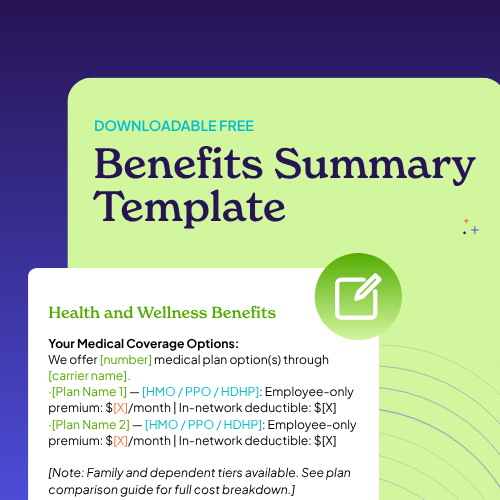
The sections above give you the structure and copy prompts to build a benefit summary from scratch. If you’d prefer a pre-formatted starting point, with placeholders, suggested layouts, and an editable design, download the Selerix Employee Benefit Summary Template.
The template includes:
- All nine sections outlined above, pre-formatted and ready to edit
- Placeholder text with copy prompts for each section
- A two-column layout optimized for a single-page print version
- A separate two-page version for organizations with more complex benefit offerings
- Annual update checklist — the five fields most commonly missed when refreshing for a new plan year
Download the Free Template
The template is designed to be customized in Microsoft Word or Google Docs and exported as a PDF for distribution. If you’re using a benefits communication platform like Selerix Engage, the same content can be adapted for digital delivery — no separate print version required.
Example Employee Benefit Summary Layouts for Different Scenarios
The same structure adapts to different moments in the employee lifecycle. The content stays largely the same; the framing and emphasis shift.
Summary for Prospective Employees (Recruiting One-Pager)
Lean on the high-value, easy-to-communicate items: medical coverage, employer 401(k) match, PTO policy, and any standout perks. Lead with what differentiates your package — if your employer match is above market, say so clearly. Keep cost information at a high level (“we cover X% of the premium”) rather than showing dollar amounts that may vary by plan tier or change before the candidate starts.
Framing to use: “Here’s what you can expect as a [Company Name] employee.”
Summary for New Hires During Onboarding
This version needs the most operational detail: enrollment deadlines, platform access, contacts for questions, and clear guidance on when coverage begins. New hires are making enrollment decisions under time pressure, often during their first week when everything is new. The priority is eliminating friction, making it obvious what they need to do and when.
Framing to use: “You have [X] days from your start date to complete enrollment. Here’s what to know.”
Summary for Open Enrollment Refresh
The OE version should lead with what’s changed: new plans, adjusted premiums, updated contribution limits, added or removed benefits. Employees who re-enroll in the same options year after year often miss changes simply because no one highlighted them. A clear “What’s New This Year” section at the top (before the full benefit detail) is worth adding to the standard template for the annual OE distribution.
Framing to use: “Here’s what’s changed for [plan year] and what it means for your elections.”
Maintaining and Distributing Your Employee Benefit Summary
A benefit summary that’s accurate in January and out of date by September is a liability. The most common reason benefit summaries go stale isn’t neglect; it’s that no one owns the update process. Build a simple maintenance habit before the document is published.
The five fields that change most often and should be reviewed annually:
• Contribution limits for FSAs, HSAs, and dependent care accounts — updated by the IRS each fall
• Premium amounts, typically set during carrier negotiations before OE
• Carrier or vendor names, if plans changed
• Enrollment platform URL or login instructions, if the system changed
• Contact information for HR and benefits support
On distribution: a benefit summary does its job when employees can find it without asking HR where it is. That means publishing it in at least two places: the HR portal or intranet, and the onboarding packet for new hires and linking to it from open enrollment communications rather than attaching a separate document each time.
For teams using a benefits communication platform, the summary can be embedded directly in the employee-facing benefits hub, surfaced during enrollment, and pushed via email or SMS as a reference during OE. The goal is the same as any good communication: get the right information in front of the employee at the moment they’re ready to act on it.
If you’re thinking about how to connect your benefit summary to a broader communication strategy, that’s where a platform built for benefits communication is essential.
Selerix Engage is designed for exactly that: getting benefits information to the right employees at the right time, without requiring HR to rebuild the communication from scratch each cycle. Plus our Selerix Content Assist AI tool can help busy HR teams draft appropriate content for every audience, all from within the security of your own data.
Frequently Asked Questions About Employee Benefit Summaries
Should salary or compensation details be included in an employee benefit summary?
Generally no — or only in aggregate. A benefit summary is a benefits communication tool, not a total compensation statement. Including salary ranges or bonus structures alongside benefits detail tends to muddy the purpose of the document and can create complications if the summary circulates beyond its intended audience. If you want to show the full value of the employment relationship, a separate total compensation statement (which adds the employer’s cost of benefits to salary) is a more appropriate format. Some HR teams produce both: a benefit summary for onboarding and OE, and a total compensation statement for annual reviews or recruiting conversations.
How much cost information should we show — premiums, employer contributions, employer costs?
Enough to help employees make a decision, not so much that the document becomes a spreadsheet. For the employee-facing benefit summary, show the employee’s share of the premium (what comes out of their paycheck) for each plan tier and note the employer’s contribution percentage or dollar amount if it differentiates your package. Avoid showing the employer’s full cost per employee in the summary itself; that information is better suited for a total compensation statement if and when you choose to produce one.
Can we use the same employee benefit summary template across different locations or states?
You can use the same structure, but the content will need to vary where benefits differ by location. State-mandated benefits, locally negotiated plans, and location-specific paid leave laws mean that a single document often can’t accurately represent what’s available to every employee. The most practical approach is a single master template with location-specific sections or addenda, so the core structure stays consistent but the details reflect what’s actually available to each employee group. This also makes annual updates easier: you’re editing sections rather than rebuilding the whole document.
Ready to build a benefits experience that goes beyond the one-pager? See how Selerix supports year-round benefits communication.


