What Is ACA Reporting? The Employer’s Guide to Form 1094-C and Form 1095-C

ACA reporting is how employers and health coverage providers give the IRS information about the health coverage they offered or provided during the year.
Two sections of the Internal Revenue Code drive the federal reporting requirements: Sections 6055 and 6056.
Depending on the employer’s size and how it funds its health plan, the employer reports this information through Forms 1094-C and 1095-C or Forms 1094-B and 1095-B.
For Applicable Large Employers (ALEs), the information reported each year helps the IRS determine whether the employer met its Affordable Care Act responsibilities. It also documents what coverage was offered to individual employees, what that coverage cost them, and, for self-insured plans, who was actually enrolled.
That’s ACA reporting in a nutshell.
If you want to dig a little deeper into employer obligations under the ACA, our ACA compliance guide is a good place to start. Here, we’re going to stay focused on the reporting itself: who does it, which forms are involved, what gets reported, and what happens throughout the year.
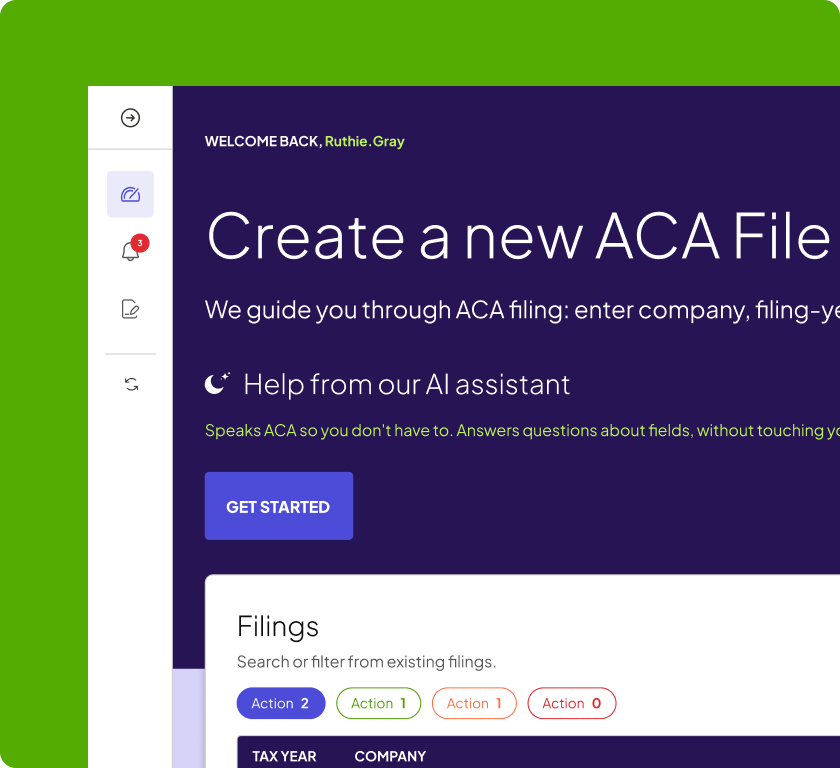
| Need help with ACA reporting? Selerix ACA Services helps employers manage the process from coverage tracking and coding through form generation, furnishing, e-filing and corrections. Learn more about Selerix ACA Services. |
Who has to do ACA reporting?
The answer depends on both employer size and how the health plan is funded.
Here are the three common situations:
| Employer/plan type | Reporting responsibility |
| Applicable Large Employer (ALE) | Reports offers of coverage under Section 6056 |
| Self-insured employer of any size | Reports coverage under Section 6055 |
| Fully insured employer that is not an ALE | Insurance carrier generally handles the federal coverage reporting |
An ALE is generally an employer that averaged at least 50 full-time employees, including full-time equivalent employees, during the previous calendar year.
If you’re hovering around that threshold, don’t guess. Our ALE calculator can help you determine whether the ACA considers you an Applicable Large Employer.
Self-insured plans add another layer. A self-insured employer has a Section 6055 reporting responsibility because it is reporting who was actually covered by the plan. That applies even if the employer is too small to be an ALE.
A self-insured ALE has responsibilities under both sections—but it doesn’t need two entirely separate sets of forms to satisfy them. We’ll get to that next.
The forms: 1094-C and 1095-C vs. 1094-B and 1095-B
This is one of the places ACA reporting can become confusing, because there are four forms with very similar names. The easiest way to sort them out is by asking who is reporting and why.
| Forms | Generally used by | What they report |
| 1094-C / 1095-C | Applicable Large Employers | Employer offer-of-coverage information under Section 6056 |
| 1094-B / 1095-B | Health coverage providers and certain non-ALE self-insured employers | Enrollment in minimum essential coverage under Section 6055 |
For an ALE, Form 1095-C contains the employee-level information. Form 1094-C is the employer-level transmittal that accompanies the 1095-Cs and summarizes information for the ALE Member.
A self-insured ALE can meet both its Section 6055 and Section 6056 obligations on the C-series forms. Part III of Form 1095-C is used to report the individuals who were actually covered under the self-insured plan.
If you use a level-funded plan, it’s also worth confirming how your arrangement is treated for ACA reporting. Our guide to self-insured, fully insured and level-funded ACA reporting goes into that distinction.
For employers completing the C-series, we also have separate guides to Form 1094-C and Form 1095-C that walk through the forms in detail.
What gets reported, month by month
ACA reporting is annual, but the underlying information is largely reported month by month.
On Form 1095-C, an employer reports information that tells the IRS what happened for a particular employee during each month of the year.
Broadly, the form answers three questions:
- Was coverage offered?
Line 14 uses codes to tell the IRS what kind of coverage was offered and to whom. - What would the employee have had to pay?
Line 15 reports the employee’s required contribution for certain coverage offers. - What else does the IRS need to know about that month?
Line 16 provides additional context, such as whether the employee was enrolled, wasn’t employed for the month, was in a limited non-assessment period, or whether an affordability safe harbor applied.
Form 1095-C doesn’t just tell the IRS whether an employee was offered health coverage during the year. It reports what happened each month, from January through December.
An employee’s ACA story could change several times in a single year. Someone might not be employed in January, start work in February, become eligible for benefits in May, enroll in coverage, and then leave the company in November. ACA reporting has to account for those changes.
| When | What’s happening |
| Throughout the year | Employee, eligibility and coverage data is collected and monitored. Quarterly summary reports provide opportunities to spot issues before year-end. |
| Q4 | Reporting starts to come into sharper focus. Employers should be reconciling employee and coverage information, resolving missing data and checking anything likely to create problems when forms are generated. |
| January 5–15 | Final data review. This is the window for resolving remaining discrepancies and approving the information that will feed the forms. |
| Mid-January | Form 1095-C generation begins. Employers review the employee-level reporting before furnishing and filing. |
| February–March | Forms are furnished to employees as required, Form 1094-C is reviewed, and the federal filing moves through the IRS AIR system. Electronic filing is due March 31. |
| After filing | IRS responses are reviewed and errors are corrected. If a penalty notice arrives later, employers need to respond within the applicable response window. |
| Spring and summer | The cycle starts again. Corrections and post-filing review can identify data or process problems worth fixing before the next year-end rush. |
That cadence is why treating ACA as a January project tends to create trouble. By January, most of the information on the forms has already been created by events that happened during the previous 12 months.
“The employers who succeed are the ones who are treating ACA as an ongoing operational process and not a once a year filing,” says Ashley Pope, Director of ACA Services at Selerix.
Our year-end ACA reporting guide goes deeper into the preparation steps, while the year-round ACA checklist can help keep the work moving before filing season arrives.
The annual cycle: track, code, furnish, file, correct
The forms are all annual, but the process behind them is a year-round consideration. At Selerix, ACA reporting follows a basic rhythm: track, code, furnish, file, correct. Each stage depends on the information collected before it.
Track
Throughout the year, employers need reliable employee, eligibility, hours and coverage data. Waiting until January to figure out what happened the previous March is not a particularly pleasant way to prepare an ACA filing. Regular review gives you a chance to catch missing or inconsistent data while the people who can resolve it still remember what happened.
For employers using Selerix ACA Services, that process includes year-round summary reporting so issues don’t all surface at filing time.
Code
The underlying data must eventually be translated into the codes that appear on Forms 1095-C. This is where employment status, offers of coverage, affordability and safe harbors come together. One employee may have several different situations during the same calendar year—a new-hire period, an offer of coverage, enrollment, a leave, or termination, for example—and the monthly codes need to reflect those changes correctly.
Furnish
Once the forms are generated and reviewed, employers must make Forms 1095-C available to employees under applicable federal rules. Recent changes allow eligible employers to use a furnish-on-request approach instead of automatically sending a Form 1095-C to every employee, provided the employer meets the notice and response requirements.
Our guide to the new ACA reporting rules explains how that option works.
File
The employer then files the required information with the IRS. Most employers subject to ACA reporting will file electronically through the IRS Affordable Care Act Information Returns (AIR) system because the electronic filing threshold is now just 10 information returns in aggregate.
Submitting the file isn’t necessarily the end of the process. AIR returns a status indicating what happened to the transmission, and some statuses require follow-up. Our guide to ACA e-filing and corrections explains those responses in more detail.
Correct
Errors happen. Employee information changes. Corrections are part of ACA reporting, which is why it’s useful to leave room in the process for them rather than treating filing day as the moment everything ends.
That approach also makes year-end considerably easier. Our ACA year-end reporting guide covers the preparation process, while our year-round ACA checklist can help you keep the pieces moving before January arrives.
Key dates for the 2027 filing season
For the 2027 filing season, covering the 2026 calendar year, employers have three main federal dates to know:
| Requirement | 2027 deadline |
| Paper filing, when permitted | March 1, 2027 |
| Furnish Forms 1095-C to employees | March 2, 2027 |
| Electronic filing | March 31, 2027 |
The paper deadline would normally fall on February 28, but February 28 is a Sunday in 2027, moving the deadline to the next business day.
There are additional rules around extensions, furnish-on-request notices and electronic filing. Rather than repeat all of them here, our guide to 2027 ACA filing deadlines puts the dates and rules in one place.
Penalties at a glance
There are two different penalty conversations that often get mixed together.
- The first involves information-return penalties. These can apply when required ACA returns aren’t filed or furnished correctly or on time. Penalties are generally assessed per return and increase depending on how long it takes to correct the problem.
- The second involves the Employer Shared Responsibility provisions under Section 4980H. Those penalties relate to an ALE’s coverage obligations, rather than simply whether a form was filed properly.
For 2027, the annualized Section 4980H penalty amounts are $3,780 under 4980H(a) and $5,670 under 4980H(b). Actual assessments are calculated monthly and depend on the circumstances involved.
That distinction is important because reporting is one of the ways the IRS determines whether an employer may have a 4980H issue. A reporting mistake can make an employer’s coverage story look different from what actually happened.
ERISA attorney Stacy Barrow described one version of the problem during Selerix’s ACA Fundamentals webinar:
“We see these penalty letters for millions of dollars that are caused simply by the reporting vendor not stating that the group offered coverage.”
For a deeper look at the rules and calculations, see our 4980H penalty guide. And if you’ve already received an IRS penalty notice, Selerix can also help you review the letter.
State ACA reporting
Several jurisdictions have their own health coverage mandates and reporting requirements, including California, Massachusetts, New Jersey, Rhode Island and Washington, D.C.
Those requirements can differ from the federal rules, including which forms need to be submitted and when employees must receive coverage statements.
If you have employees in one or more of those jurisdictions, build the state requirements into your ACA process rather than assuming the federal filing takes care of everything.
Our state-specific ACA reporting guide covers the requirements in more detail.
How ACA reporting software changes the work
It’s technically possible to describe ACA reporting as a forms exercise. In practice, most of the work happens before a form ever gets generated.
You need to bring together employee and coverage data, identify gaps, determine the right codes, generate forms, furnish them, transmit the IRS filing, interpret the response, and correct anything that needs correcting.
ACA reporting software can manage those pieces in one workflow instead of relying on spreadsheets, separate systems and a lot of manual checking.
The right approach depends on how much of that work you want to own internally.
- With a self-service approach, your team generally manages the data and filing process using software that provides the workflows and validation tools.
- With a full-service approach, more of the ongoing work moves to the provider, including data review, coding, form generation and filing support.
Neither model is automatically right for every employer. The useful question is how much ACA expertise and capacity you have in-house, and how much of the process you want your team responsible for.
Our guide to choosing an ACA reporting solution goes deeper into what to look for.
ACA Reporting Is Easier When March Isn’t the Beginning
ACA reporting usually culminates in a filing, but it seldom begins there.
The information on Forms 1094-C and 1095-C comes from decisions, coverage offers and employee changes that happened all throughout the previous year. Keeping that information clean as you go makes it much easier to review the forms, meet the deadlines and respond if something doesn’t look right.
That’s what Selerix ACA Services is built around: helping employers manage the reporting process throughout the year, then carrying that work through furnishing, filing and corrections.